Before you click the Beacon portal button below, please read these instructions to help make things easier.
IMPORTANT
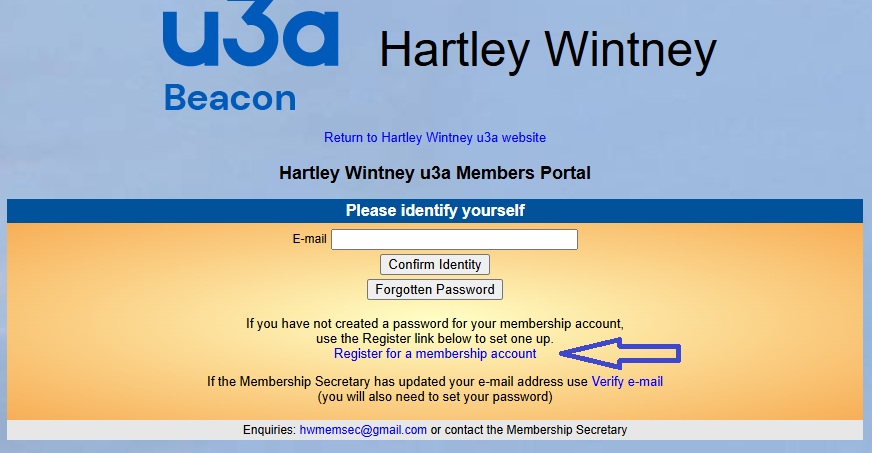
You don't have a password yet, so please ignore the email and password fields and click on the blue 'Register for a membership account'.
Note that the link in the image below is not a "live" one - please read all the instructions below and then click the button at the bottom of this page when you're ready.
Then you should see this page:
Note that the link in the image below is not a "live" one - please read all the instructions below and then click the button at the bottom of this page when you're ready.
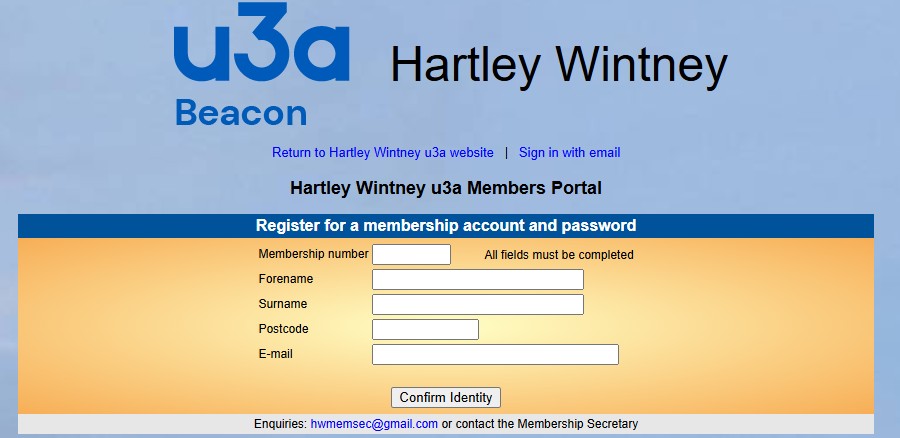
Leave one space between the two parts of your postcode.
Then click the "Confirm Identity" button.
When you have successfully logged in, you will see the following message:
Note that the link in the image below is not a "live" one - please read all the instructions below and then click the button at the bottom of this page when you're ready.
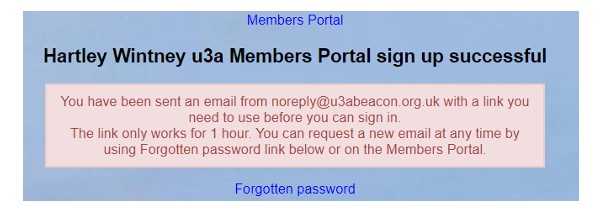
Now you can log in to the Members Portal to check that your personal details are correct before renewing your membership.
You'll be asked to create a password. This should be "strong" - typically at least eight characters long, contain a mixture of uppercase and lowercase letters and at least one digit.
OK, if you're ready to go, click the button below: